Contents
ToggleMicrowaves have become an indispensable part of modern kitchens. They make heating food a breeze, saving time and energy. But what happens when this convenient appliance becomes inconveniently locked? If you’ve ever faced this situation with your GE microwave, you know the frustration it can cause. Here at TheKitchenApplianceDad.com, we understand the importance of getting your kitchen appliances back in working order as quickly as possible. That’s why we’ve put together this detailed guide to help you unlock your GE microwave with ease.
Why do microwaves have a lock feature? The control lockout feature on a GE microwave is a safety function that’s particularly useful in households with small children. It prevents unintended use of the microwave and stops children from changing the cooking settings.
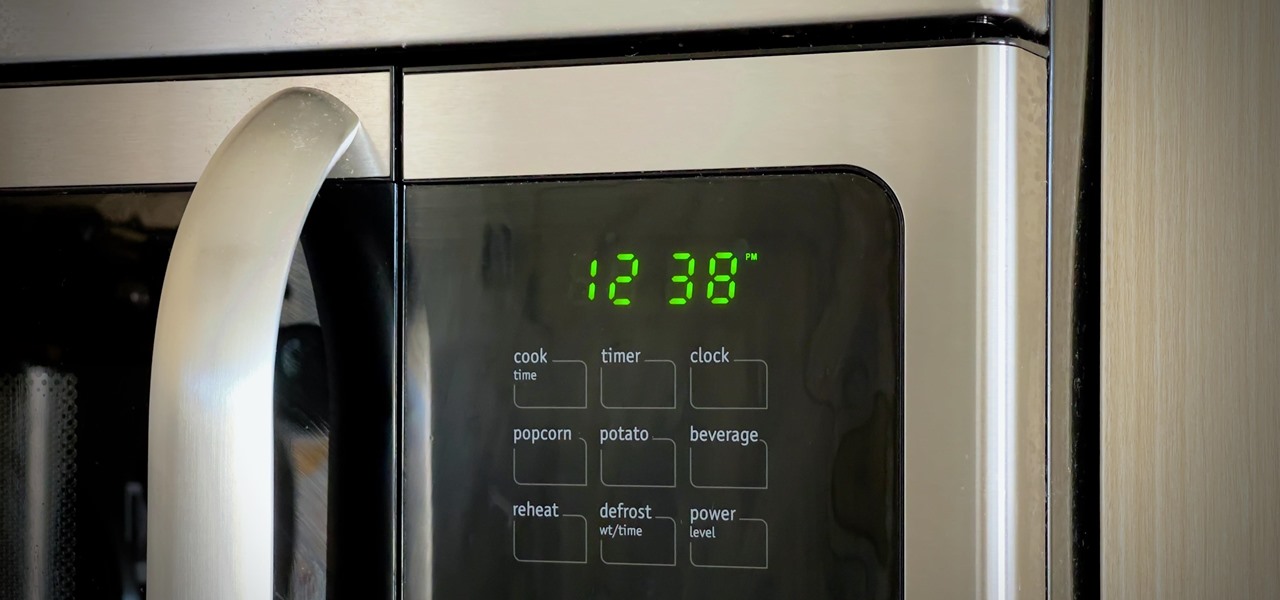
The first step to unlocking your GE microwave is to locate the lock button. On most GE microwave models, there is a specific button or a combination of buttons you need to press to either lock or unlock the control panel. This button is often labeled as “Lock,” “Control Lock,” or may have a padlock icon.
Once you’ve located the appropriate button, press and hold it for about three seconds. The microwave should beep or display a message on the screen indicating that the control panel has been unlocked. Depending on the model, you might see a message that says “unlocked” or the lock icon may disappear from the display.
After the microwave indicates it has been unlocked, test the functionality by attempting to use the microwave as normal. Try setting a cooking time and starting the microwave. If the microwave doesn’t start and you still see the lock icon or the display shows that it’s locked, you may need to repeat the previous step or consult your user manual for model-specific instructions.
Sometimes, you might encounter other issues that prevent the microwave from unlocking. Here’s what you can do:
If the standard unlocking method does not work, you can try power cycling your microwave. Unplug the microwave from the wall outlet, wait for about a minute, and then plug it back in. This can reset the appliance and might clear any errors that are preventing the unlock function from working properly.
GE microwaves come with built-in diagnostic systems. If your microwave is displaying an error code, it could indicate a specific problem with the appliance. Consult your user manual or GE’s support website for information on what the code means and how to address it.
Each microwave model can have slightly different instructions for unlocking the control panel. If you are having trouble unlocking your microwave, refer to the user manual for your specific model. You can often find a digital copy of the manual on GE’s official website if you’ve misplaced your physical copy.
If you’ve tried the above steps and still can’t unlock your GE microwave, it might be time to contact GE support. They can provide additional troubleshooting steps and, if necessary, arrange for a service visit.
Keeping your microwave in good working order can help prevent future lockouts and other issues. Here are a few maintenance tips:
Unlocking a GE microwave is typically a straightforward process that involves pressing and holding the lock button or a combination of buttons. However, if you encounter issues beyond a simple lockout, don’t hesitate to refer to your user manual or contact GE customer support for assistance.
Here at TheKitchenApplianceDad.com, we hope this guide has been helpful in unlocking your GE microwave. Remember that safety comes first, and the lock feature is there to protect you and your family. With your microwave back in action, you can return to the convenience of quick and easy cooking.
Remember, TheKitchenApplianceDad.com is here to make your kitchen appliance experience as smooth as possible. Happy cooking!