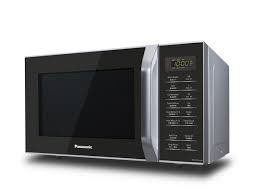
Welcome to another helpful guide from TheKitchenApplianceDad.com. Today, we are diving into a common issue that might seem minor but can be quite frustrating: unlocking your Panasonic microwave. Whether it’s a child lock that’s been accidentally activated or a confusing error code, getting your microwave back in working order is crucial, especially if you rely on it daily for warming meals and more.
Understanding the Lock Feature
What is the Child Safety Lock?
Most Panasonic microwaves come with a child safety lock feature. Its primary purpose is to prevent unsupervised use of the microwave by children, thereby avoiding potential accidents or misuse. This feature is incredibly beneficial for families with curious little ones.
Why Might Your Microwave Be Locked?
Apart from the child safety lock, your microwave might display a locked status due to several reasons:
- Accidental activation: It’s easy to unintentionally activate the lock feature, especially while cleaning the keypad.
- Error Codes: Sometimes, what appears to be a lock could actually be an error code indicating a malfunction.

Step-by-Step Guide to Unlocking Your Panasonic Microwave
Unlocking the Child Safety Lock
Most Panasonic microwave models follow a similar procedure to deactivate the child lock. Here’s a simple step-by-step guide:
- Locate the Stop/Reset Button:
- Find the ‘Stop/Reset’ button on your microwave’s control panel.
- Press and Hold:
- Press and hold the ‘Stop/Reset’ button for about 3 seconds. You might hear a beep or see a flash on the display indicating that the lock is deactivated.
- Check the Display:
- Look at your microwave’s display. If it returns to the normal setting (time or menu), the child lock is off. If ‘Locked’ still appears, you might need to repeat the process or check for other issues.
Dealing with Error Codes
If your Panasonic microwave is locked due to an error code, the display will usually show a specific code. Here are common steps to address this:
- Refer to the Manual:
- Look up the error code in your microwave’s user manual. Panasonic provides detailed explanations and solutions for each code. You can find digital manuals on their official website if you’ve misplaced your physical copy (Panasonic Support).
- Reset the Microwave:
- Unplug your microwave from the power source, wait for about a minute, and then plug it back in. This can reset the system and clear temporary malfunctions.
- Contact Support:
- If the error persists, it might indicate a more serious issue. Contact Panasonic customer support for professional advice or servicing.
Tips for Preventing Future Lock Issues
- Familiarize Yourself with the Controls:
- Spend some time understanding your microwave’s features and how to activate/deactivate them. This can prevent accidental locks.
- Regular Maintenance:
- Keep your microwave clean and ensure it’s in good working order. Sometimes, debris on the control panel can interfere with the buttons’ functionality.
- Use Lock Features Appropriately:
- Only use the child safety lock when necessary, such as when children are around. This minimizes the chances of accidentally locking the appliance.
When to Seek Professional Help
While unlocking your Panasonic microwave and handling minor error codes can often be managed at home, some situations require professional intervention. If your microwave:
- Shows complex error codes frequently,
- Stops working abruptly, or
- Displays signs of electrical issues (like sparking),
it’s time to call in a technician. Continuing to use your microwave when it’s malfunctioning can be dangerous.
Key Takeaways
- Unlocking Made Easy: Most Panasonic microwaves can be unlocked by holding the ‘Stop/Reset’ button for about 3 seconds.
- Understand Error Codes: Refer to your user manual or Panasonic’s support website for specific guidance on error codes.
- Preventive Measures: Familiarize yourself with your microwave’s features and ensure it is well-maintained to avoid future lock issues.
- Know When to Call Professionals: For complicated issues or persistent error codes, contact a professional technician.
Unlocking your Panasonic microwave is generally a straightforward process, but understanding why it locked in the first place can help you prevent future issues. Hopefully, this guide has empowered you with the knowledge to quickly resolve locking issues and keep your microwave running smoothly. For more tips and tricks on managing your kitchen appliances efficiently, keep following TheKitchenApplianceDad.com!